Needs Apple Intelligence: a Mac with Apple silicon, macOS 26 or later, with Apple Intelligence turned on.
Pull receipts into a spreadsheet on Mac
Pull receipts into an editable spreadsheet.
A pile of receipts has to become rows in a spreadsheet before you can file an expense claim or do the books — vendor, date, total, the lot. Typing them in by hand is slow, and the apps that read them for you want photos of your receipts on their servers. Receipts → Spreadsheet reads each one on your Mac and fills an editable table with Apple Intelligence, so your financial paperwork stays on your machine.
The free way (if there is one)
There isn't a built-in way to do this on macOS today — you'd normally reach for a web tool that uploads your file, or a paid app.
There's no built-in way to turn receipts into a spreadsheet. The usual route is a receipt-scanning service your receipts are uploaded to. Fileknife reads them on your Mac and hands you an editable table.
With Fileknife
Here's the same job in Fileknife, where it stays on your Mac:
- Drop your receipts — images or PDFs — onto Fileknife and choose Receipts → Spreadsheet.
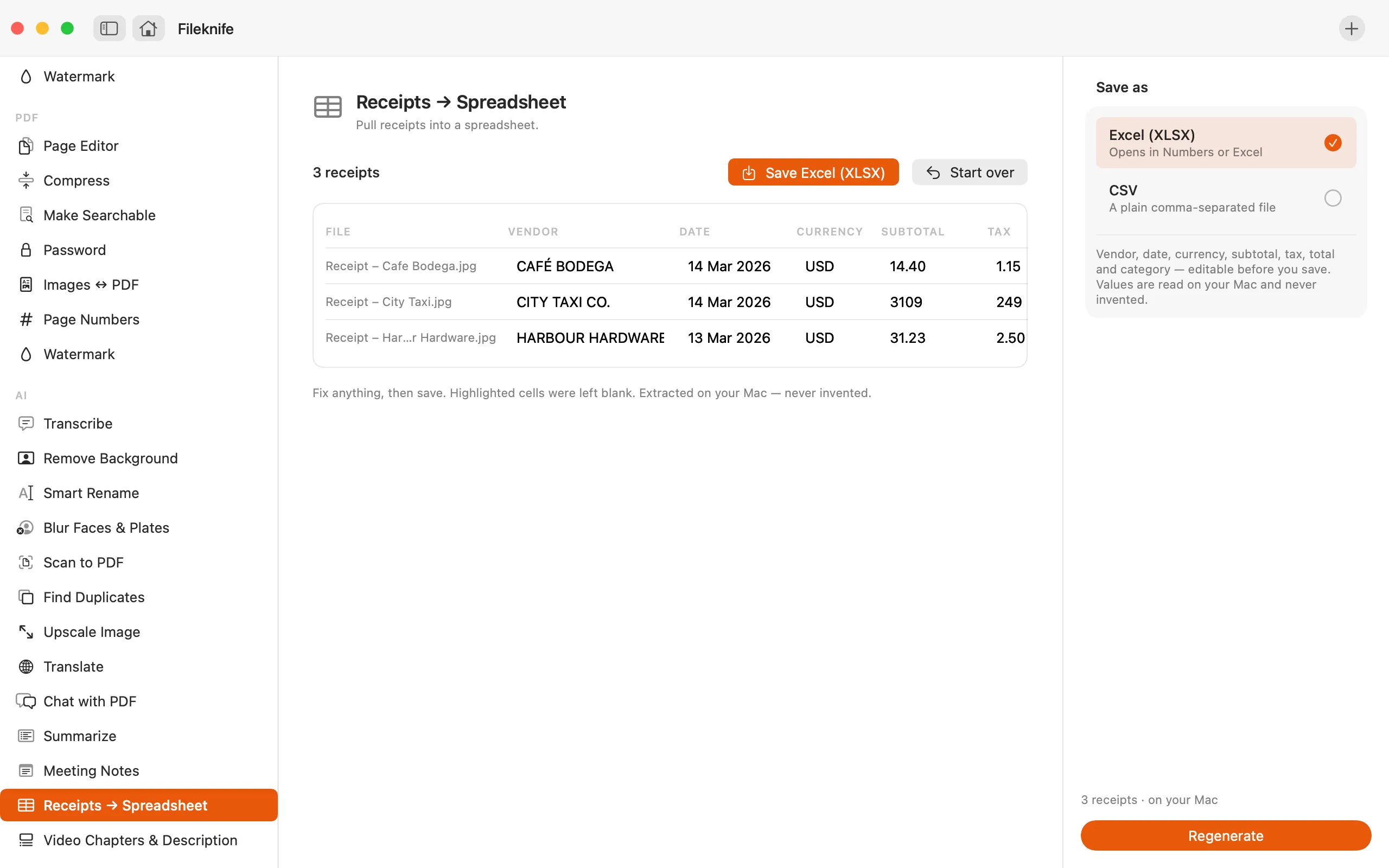
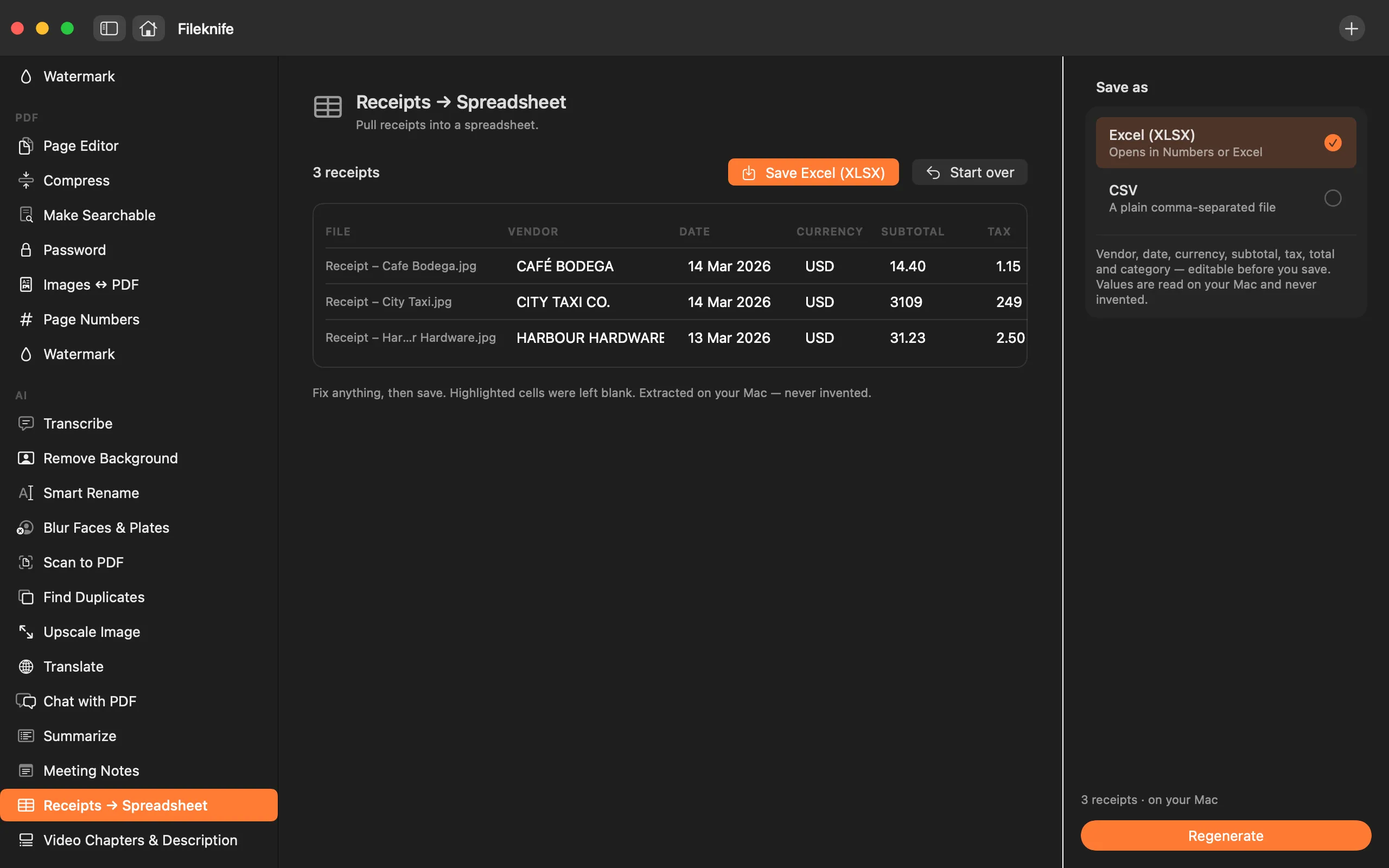
- Press Extract — each receipt is read on your Mac into a row in the review table.
- Fix any flagged cells and correct anything that's off; nothing is invented.
- Save the table as an Excel (XLSX) or CSV file.
Why reach for Fileknife
- Each receipt becomes a row — vendor, date, currency, subtotal, tax, total and category.
- Values are read from the receipt, never invented; anything it couldn't find is flagged for you to fill in.
- You review and fix the table before exporting — nothing is saved until you say so.
- Export as an Excel (XLSX) or CSV file, all on your Mac with nothing uploaded.
Presets and options
- Columns: vendor, date, currency, subtotal, tax, total, category
- Editable review table with blanks flagged
- Export to Excel (XLSX) or CSV
Takes: Receipt images (HEIC, JPG, PNG) and PDFs. Drop a folder to do a batch. Gives: An Excel (XLSX) or CSV spreadsheet.
Honest limits
Needs Apple Intelligence — a Mac with Apple silicon on macOS 26 or later, with Apple Intelligence turned on. On a Mac that can't run it, the tool still appears with a calm note about what it needs, and won't run there. Values are read from each receipt and never invented; anything it couldn't read is left blank and flagged, and you review and fix the whole table before exporting. A faint or crumpled receipt may need more correcting than a clear one.
FAQ
Are my receipts uploaded?
No. Each receipt is read on your Mac and the fields are pulled out with Apple Intelligence. Nothing is sent anywhere.
Does it invent any numbers?
No. Values are read from the receipt, and anything it can't find is left blank and flagged rather than guessed. You review and fix the table before anything is saved.
What does it capture for each receipt?
Vendor, date, currency, subtotal, tax, total and category — one row per receipt, all editable in the review table.
What can I export?
An Excel (XLSX) file that opens in Numbers or Excel, or a plain CSV.
What do I need to run it?
A Mac with Apple silicon on macOS 26 or later, with Apple Intelligence turned on. On other Macs the tool still appears with a note about what it needs.
Be the first to know when it ships · No spam · macOS 14 Sonoma or later