Add a watermark to a PDF on Mac
Add a logo or text watermark to every page of a PDF.
Documents that go out need marking: DRAFT across a proposal, CONFIDENTIAL on a report, a company logo on every page of a handout. Watermarking a PDF stamps a logo or line of text onto each page so the mark travels with the file. The useful version does every page at once and puts the mark into the page itself, so it shows and prints everywhere.
The free way (if there is one)
Preview's Markup can stamp text onto one page by hand (Tools → Annotate → Text). There's no built-in way to watermark every page of a PDF, or to add a logo across the document.
Preview's Markup can add text to a single page by hand, but there's no built-in way to stamp every page, or to add a logo across a document. Fileknife does the whole PDF in one step.
With Fileknife
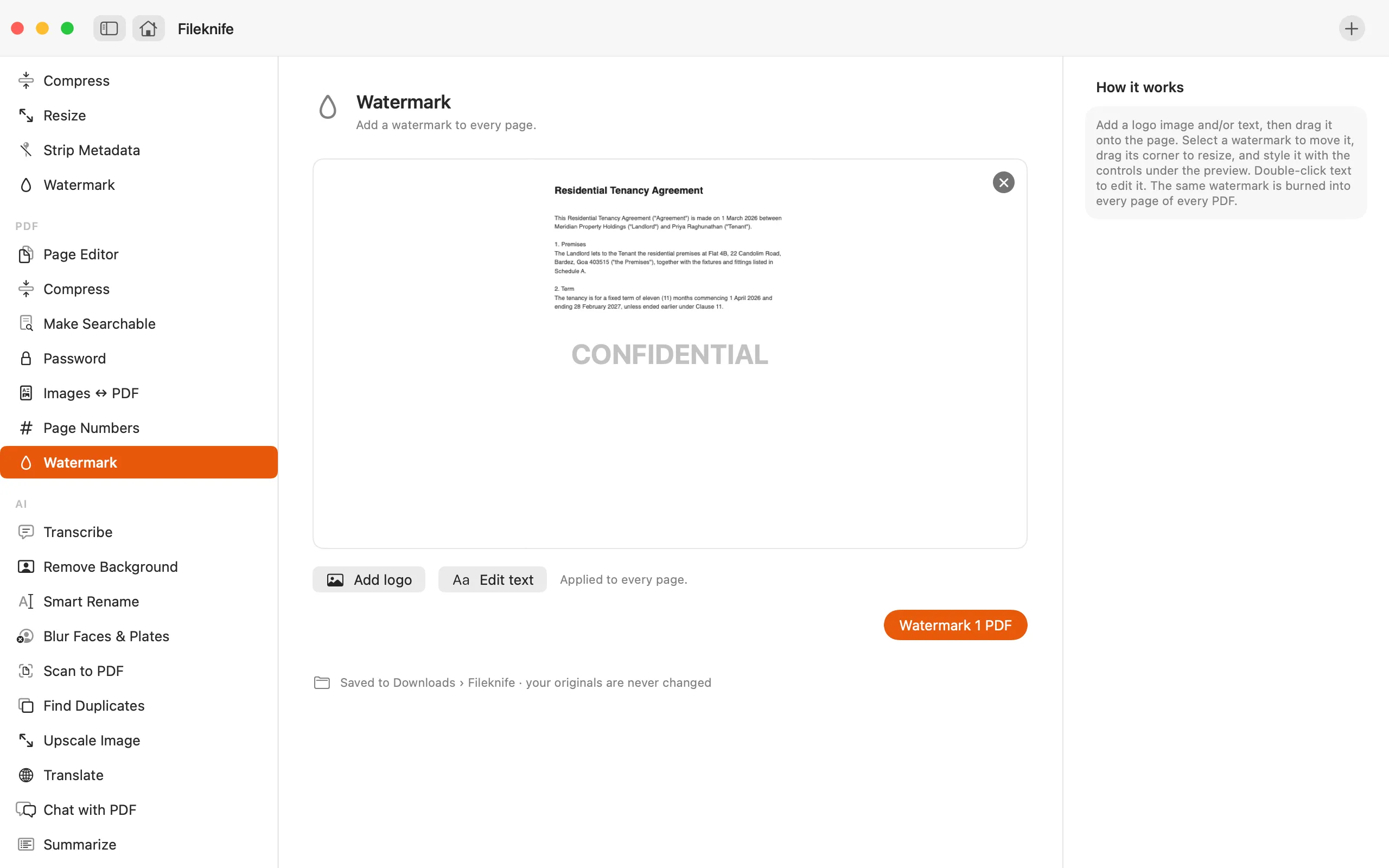
Here's the same job in Fileknife, where it stays on your Mac:
- Drop the PDF onto Fileknife and choose Watermark.
- Add a logo image and/or type your text (e.g. DRAFT).
- Set the position, size and opacity.
- Press the button, then use Show in Finder or drag the result out.

Why reach for Fileknife
- Stamp a logo, text, or both onto every page in one step.
- Set the position, size and opacity on a preview.
- The watermark is drawn into the page, so it shows and prints in every viewer.
- Runs on your Mac — nothing is uploaded.
Presets and options
- Logo
- Text
- Logo and text
Takes: A PDF, plus a logo image (transparent PNG works best). Gives: The same PDF with the watermark on every page.
Honest limits
The watermark is drawn into each page so it prints and can't be peeled off — which flattens the page, so interactive form fields and existing annotations don't carry through. Keep your original if you still need the live form fields.
FAQ
Can I stamp CONFIDENTIAL or DRAFT across every page?
Yes. Type the text, set it where you want it (often diagonally across the page), and it's stamped onto every page in one pass.
Can I use my company logo instead of text?
Yes. Add a logo image — a transparent PNG works best — or combine a logo with text.
Will the watermark show when the PDF is printed?
Yes. It's drawn into the page content, so it shows and prints in every viewer and can't be removed as an annotation.
Is anything uploaded?
No. Watermarking runs on your Mac.
Be the first to know when it ships · No spam · macOS 14 Sonoma or later