Extract frames from a video on Mac
Save still frames from a video as images.
A video is just a stack of still images, and sometimes you want them: a thumbnail, a contact sheet of a clip, the one frame where everything lined up, or a sequence for a flip-through. Extracting frames saves those stills as image files. The two ways you'd ask for them are "one every few seconds" or "give me a set number, spread evenly".
The free way (if there is one)
macOS has no built-in way to export a batch of frames from a video. You can pause the clip and take a screenshot, but that's one frame at a time, by hand.
There's no built-in way to export many frames at once — you'd pause and screenshot, one at a time. Fileknife grabs them in a batch, either at a fixed interval or as an evenly-spaced set.
With Fileknife
Here's the same job in Fileknife, where it stays on your Mac:
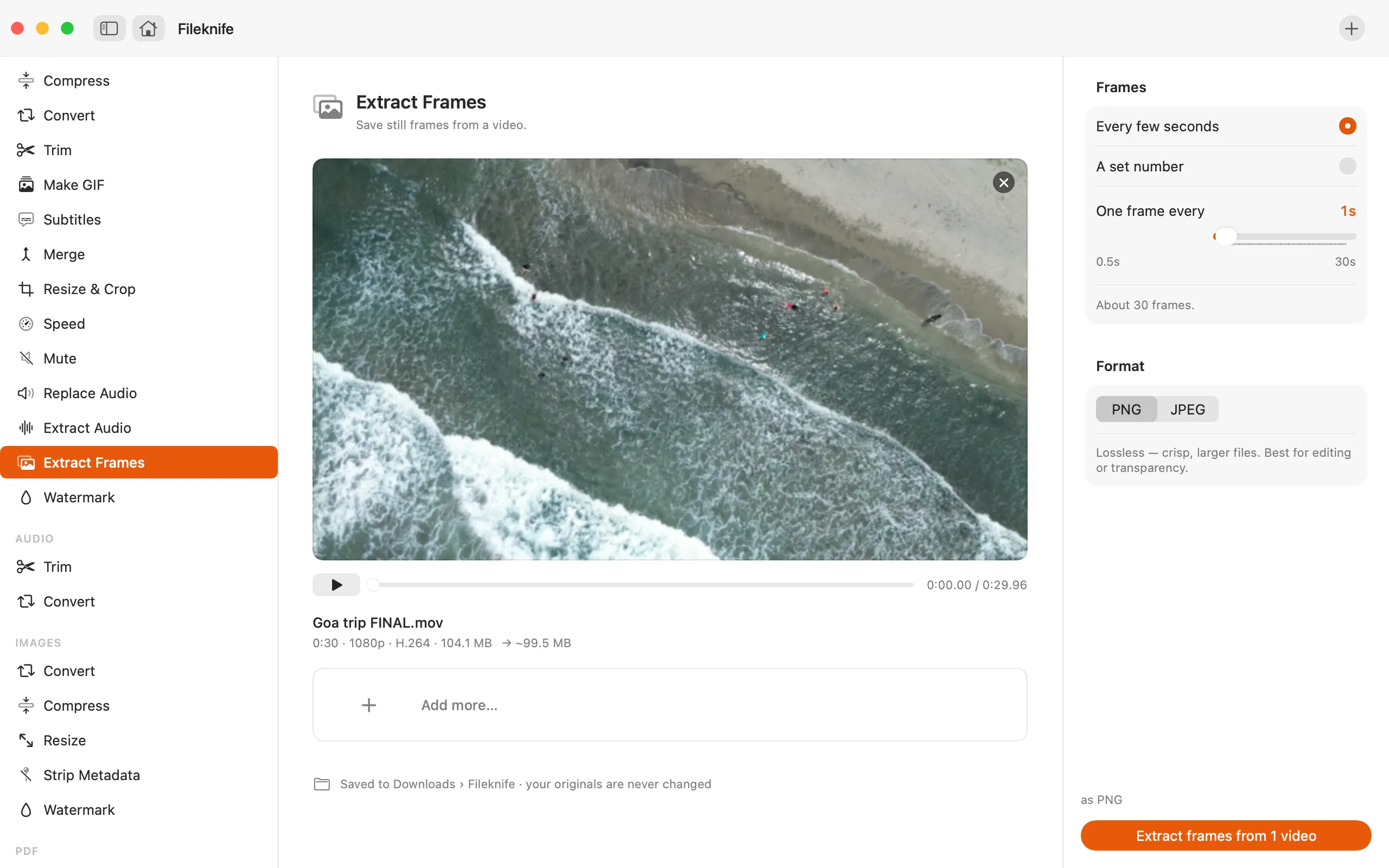
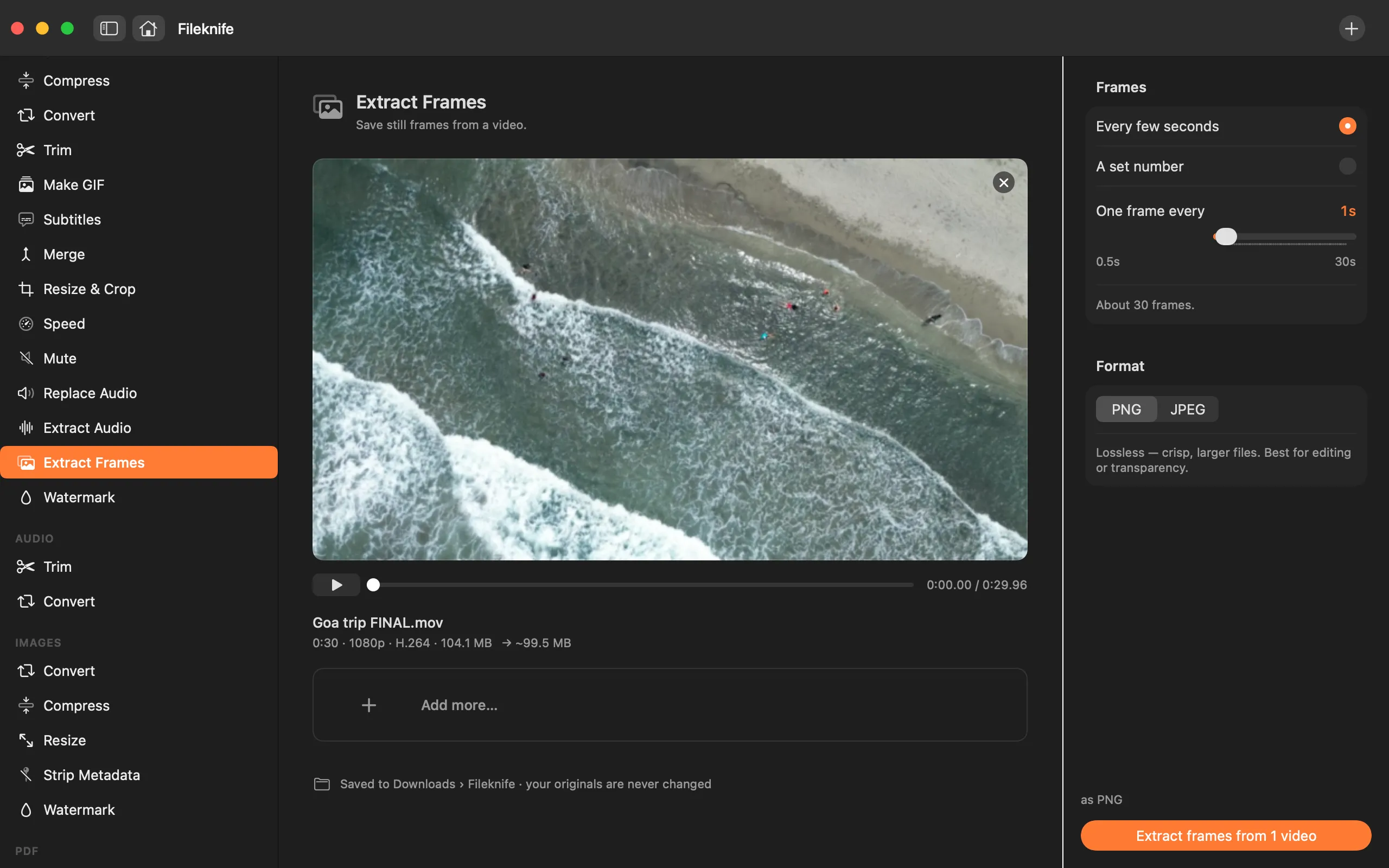
- Drop the video onto Fileknife and choose Extract Frames.
- Pick how to grab them: every few seconds, or a set number.
- Choose the image format (PNG or JPEG).
- Press the button — the frames are saved to your output folder.
Why reach for Fileknife
- Grab one frame every few seconds, or a set number spread evenly across the clip.
- Save as crisp PNG or smaller JPEG, with the count shown before you run it.
- Does the whole clip in one pass instead of pausing and screenshotting.
- Runs on your Mac — nothing is uploaded.
Presets and options
- Every few seconds
- A set number
- PNG
- JPEG
Takes: MP4, MOV, M4V and most common video formats. Gives: PNG or JPEG images.
Honest limits
A very small interval on a long clip can ask for a huge number of images; Fileknife shows the resulting count and caps it so a run can't get out of hand. PNG frames are crisp but large; JPEG is smaller with a slight quality trade-off.
FAQ
How do I save just one frame from a video?
Choose A set number and set it to 1 for an evenly-placed frame, or use a small interval and keep the frame you want. Each frame is saved as its own image.
PNG or JPEG?
PNG is lossless and crisp — best for editing or a few frames. JPEG makes smaller files, which is handy when you're pulling a lot of frames.
Can I make a contact sheet of a clip?
Extract Frames gives you the individual stills — one every few seconds makes a good set to lay out as a contact sheet.
Is anything uploaded?
No. Frames are extracted on your Mac.
Be the first to know when it ships · No spam · macOS 14 Sonoma or later