Add a watermark to a photo on Mac
Add a logo or text watermark to a photo, or a whole batch.
Photos you share publicly often need your mark: a logo on product shots, a handle across portfolio images, a "proof" stamp on previews. Watermarking burns a logo or line of text onto the picture so it stays attached wherever the image is reposted. The real work is applying the same mark, placed the same way, across a whole set of photos.
The free way (if there is one)
Preview's Markup can stamp text onto a single image by hand (Tools → Annotate → Text). There's no built-in way to place a logo, or to apply the same watermark consistently across a batch.
Preview's Markup can add a line of text to a single image by hand, which is fine for one. There's no built-in way to place a logo or text watermark consistently across a batch — that's what Fileknife is for.
With Fileknife
Here's the same job in Fileknife, where it stays on your Mac:
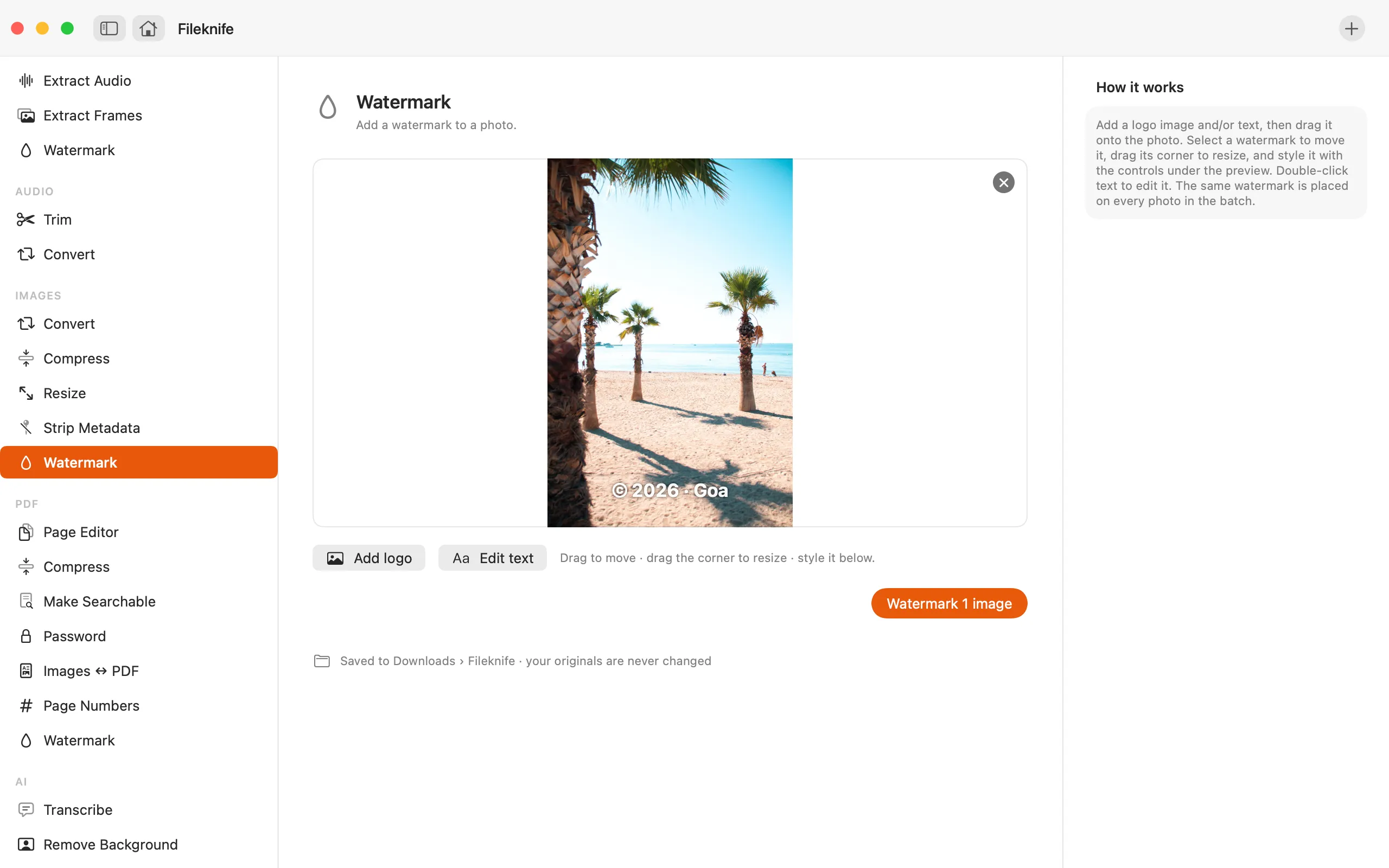
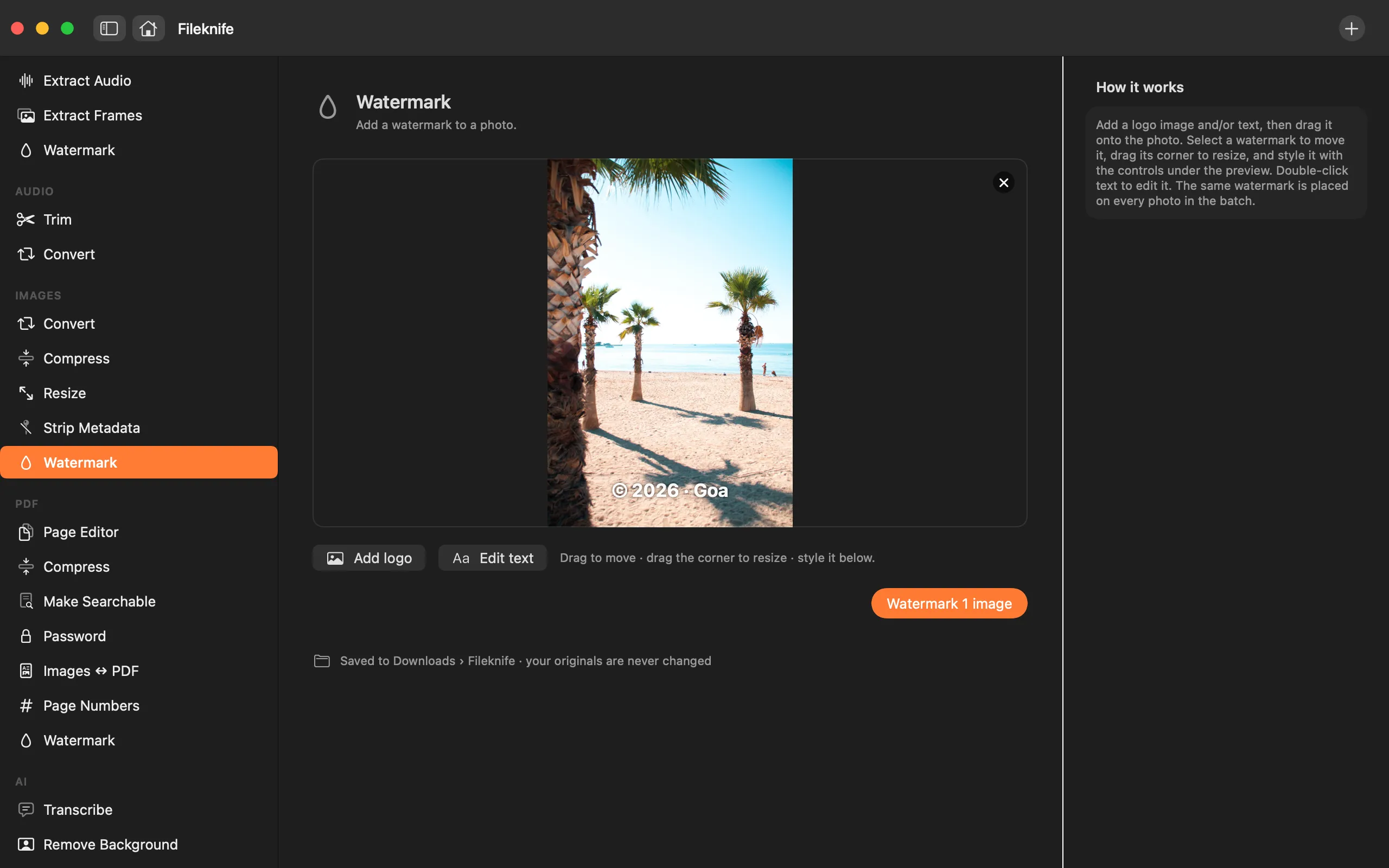
- Drop your photos onto Fileknife and choose Watermark.
- Add a logo image and/or type your text.
- Set the position, size and opacity on the preview.
- Press the button — the whole batch is watermarked together.
Why reach for Fileknife
- Add a logo, text, or both, placed on a live preview.
- Apply the same watermark across a whole batch at once.
- Set position, size and opacity, and choose the text's typeface, weight and colour.
- Runs on your Mac — no upload, and no watermarking-site watermark over yours.
Presets and options
- Logo
- Text
- Logo and text
Takes: JPG, PNG, HEIC, WebP and other common image formats, plus a logo image (transparent PNG works best). Gives: Same format as the input, with the watermark burned in.
Honest limits
The watermark is burned into the picture, so keep your originals if you might want clean copies. The same placement is applied to every photo in the batch, set as fractions of the frame so it sits consistently across different sizes.
FAQ
Can I watermark a whole folder of photos at once?
Yes. Drop them all in, set the watermark once on the preview, and the same mark is applied to every photo.
Can I use my own logo?
Yes. Add a logo image — a transparent PNG sits cleanest — and place it on the preview. You can add text as well, or instead.
Can the watermark be removed later?
No — it's burned into the picture. Keep your originals if you might want an unmarked version.
Is anything uploaded?
No. Watermarking runs on your Mac.
Be the first to know when it ships · No spam · macOS 14 Sonoma or later